Maybe we can help?
Why aren’t my widgets displaying any content after I’ve set them up?
Widgets can be customized as desired. Especially as a new CAMPUS user, you may want to tailor the quick-access areas to your preferences. However, setting up certain features on the dashboard requires additional steps. This can result in incorrect display on the dashboard itself, as the data cannot be retrieved.
Fortunately, widgets that are malfunctioning or not yet set up usually prompt you directly via a button to complete the necessary setup. This process is described below for two different types of accounts:
 The “Set up account” button will redirect you to the corresponding CAMPUS app. In the “Email” section, you can now enter the necessary information to set up an account.
 Once setup is complete, you can access your dashboard again. Your email inbox will now also be displayed in the corresponding dashboard widget. This process is similar for all other CAMPUS-internal apps that require separate login credentials.
You will now be redirected to the “Connected Accounts” menu item in the CAMPUS options. Here you will find an overview of accounts that are already connected. This menu item also allows you to connect various offsite accounts.
The requirements for linking accounts may vary from service to service. The example used above, “GitHub,” requires the creation of an “access token.” This is generated off-site and then confirmed in the corresponding settings section of CAMPUS. Once this is done, the accounts are linked.
In the case of other services, such as “Reddit,” you must access the other service via the button. Here, you must enter and confirm your login credentials for the service. Once this is done, the accounts are linked.
Each service that can be linked in CAMPUS has its own specific requirements. These are listed in detail in the “Linked Accounts” section of the options view for each service, along with links to the relevant pages.
Once setup is complete, you can access your dashboard again. Your email inbox will now also be displayed in the corresponding dashboard widget. This process is similar for all other CAMPUS-internal apps that require separate login credentials.
You will now be redirected to the “Connected Accounts” menu item in the CAMPUS options. Here you will find an overview of accounts that are already connected. This menu item also allows you to connect various offsite accounts.
The requirements for linking accounts may vary from service to service. The example used above, “GitHub,” requires the creation of an “access token.” This is generated off-site and then confirmed in the corresponding settings section of CAMPUS. Once this is done, the accounts are linked.
In the case of other services, such as “Reddit,” you must access the other service via the button. Here, you must enter and confirm your login credentials for the service. Once this is done, the accounts are linked.
Each service that can be linked in CAMPUS has its own specific requirements. These are listed in detail in the “Linked Accounts” section of the options view for each service, along with links to the relevant pages.
1. Accounts for CAMPUS-internal apps
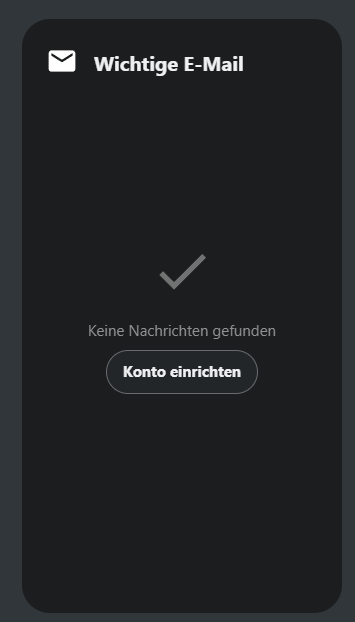
The example used here—the “Email” app widget—cannot retrieve data from a linked email account. If the widget is added to the dashboard anyway, you will see the following view:
The “Set up account” button will redirect you to the corresponding CAMPUS app. In the “Email” section, you can now enter the necessary information to set up an account.
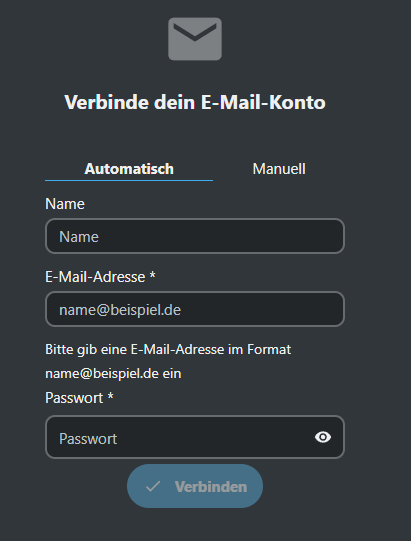 Once setup is complete, you can access your dashboard again. Your email inbox will now also be displayed in the corresponding dashboard widget. This process is similar for all other CAMPUS-internal apps that require separate login credentials.
2. Offsite accounts
Offsite accounts (GitHub, Jira, Reddit, etc.) will display a similar error message when you first add them to your dashboard. Here, too, you can click the “Connect to [Service]” button provided to complete the setup for your dashboard.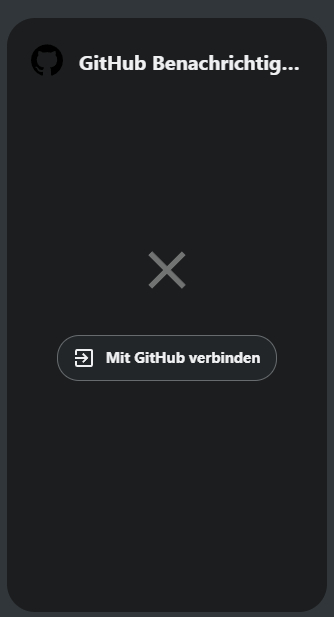 You will now be redirected to the “Connected Accounts” menu item in the CAMPUS options. Here you will find an overview of accounts that are already connected. This menu item also allows you to connect various offsite accounts.
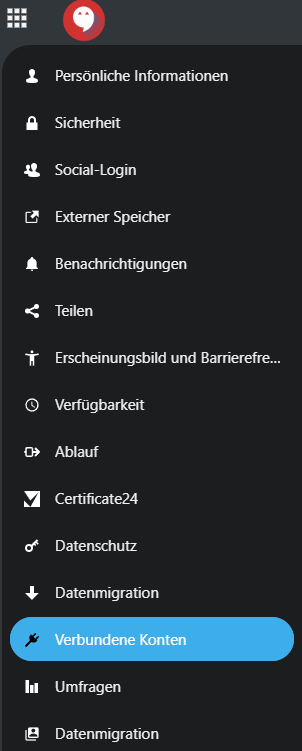 The requirements for linking accounts may vary from service to service. The example used above, “GitHub,” requires the creation of an “access token.” This is generated off-site and then confirmed in the corresponding settings section of CAMPUS. Once this is done, the accounts are linked.
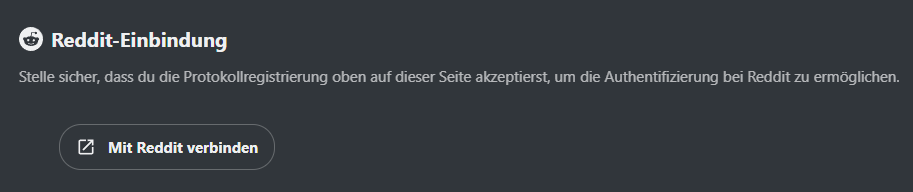
In the case of other services, such as “Reddit,” you must access the other service via the button. Here, you must enter and confirm your login credentials for the service. Once this is done, the accounts are linked.
The requirements for linking accounts may vary from service to service. The example used above, “GitHub,” requires the creation of an “access token.” This is generated off-site and then confirmed in the corresponding settings section of CAMPUS. Once this is done, the accounts are linked.
In the case of other services, such as “Reddit,” you must access the other service via the button. Here, you must enter and confirm your login credentials for the service. Once this is done, the accounts are linked.
 Each service that can be linked in CAMPUS has its own specific requirements. These are listed in detail in the “Linked Accounts” section of the options view for each service, along with links to the relevant pages.