Maybe we can help?
Setting up a roomAufbau eines Raumes
I’ve joined a conference, what now?
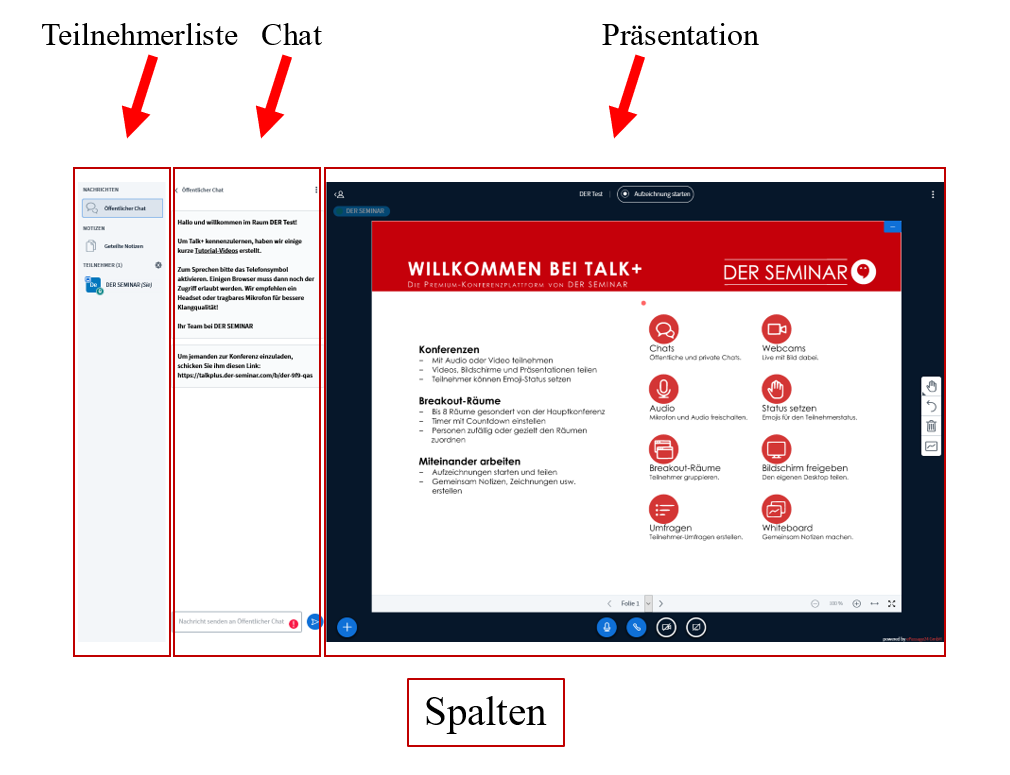
- A conference room consists of three columns and contains three key areas. Let’s start with the columns:
- On the left is the participant list. You are highlighted in this list.
- To the right of that is the chat area, where you can chat with other participants.
- On the right side is the presentation window, which is by far the largest. Here you can see displayed presentations, screen shares, and webcam feeds.
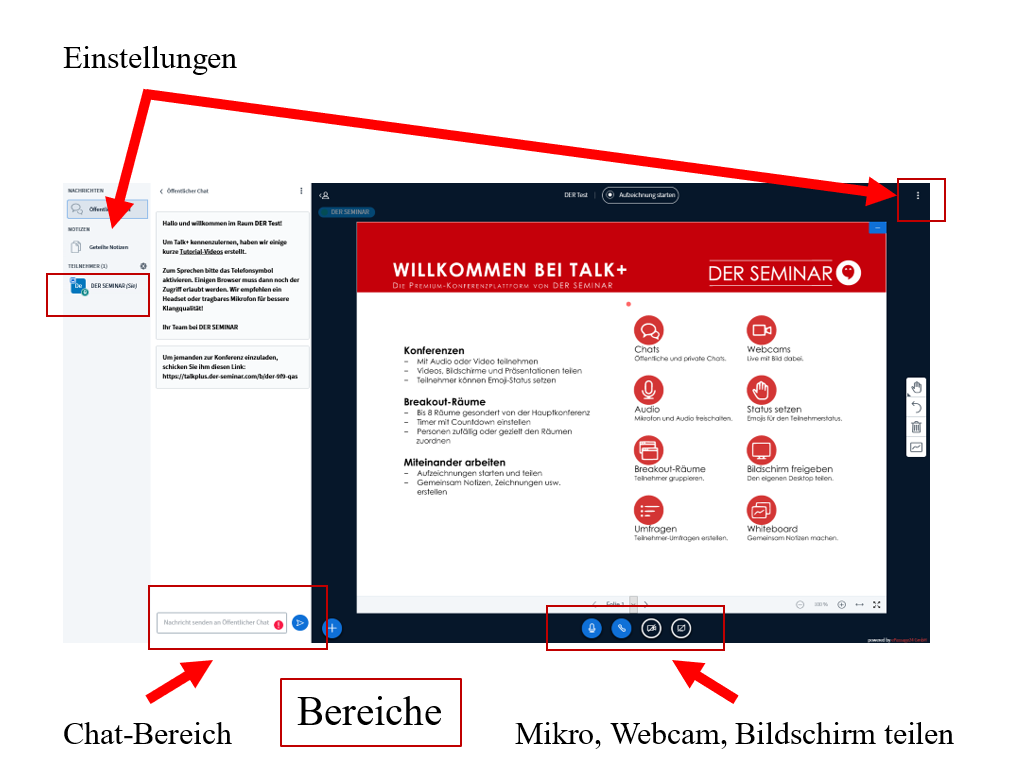
- The first section consists of two separate areas and allows you to configure personal settings as well as settings related to the room.
- At the bottom of the chat area is the text box for chat messages, which constitutes the second section.
- The last section consists of several icons at the bottom of the presentation window. These primarily relate to input and output during the presentation.
- Here, you can enable and disable your microphone, audio output, and webcam, as well as share your screen.
You can find the entry for personal settings here:
https://anhaltintelligence.com/help/persoenliche-einstellungen/
And if you’d like to adjust the settings for a room, keep reading here:
