Maybe we can help?
Room Settings
How do I configure settings for a room?
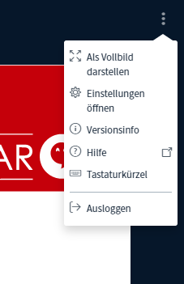
- To adjust the settings for the conference room, click the three dots in the upper-right corner.
- In addition to full-screen mode, settings, and a list of keyboard shortcuts, you’ll also find the option to leave the room here.
- To do so, simply click “Log Out.”
You can find out how to adjust your personal settings here:
