Maybe we can help?
Phone dial-in
Requirements for dialing in by phone
Before participants can dial in by phone, at least one participant in the TALK+ conference must be using a computer with a microphone enabled.
How do I log in?
All TALK+ conferences can also be attended by dialing in. The following landline number applies for all conferences:
In addition, a unique PIN is required for each conference.
How do I find out my conference PIN?
You must register for the TALK+ conference as usual. As soon as you enter the conference room, you’ll see an option labeled “Join by phone”.
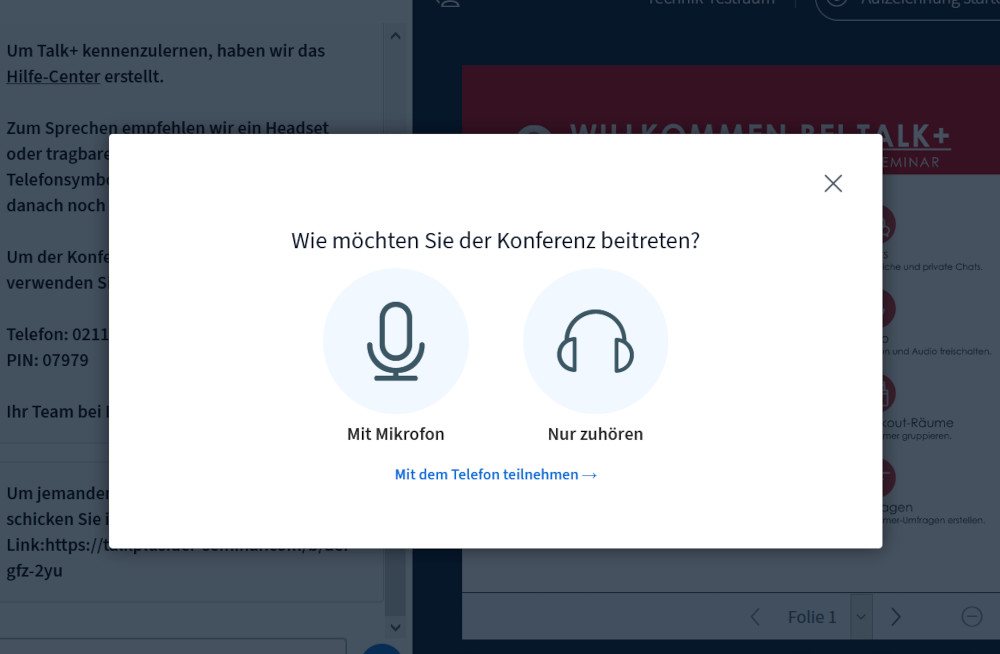
Step 1: Click the “Join by Phone” button
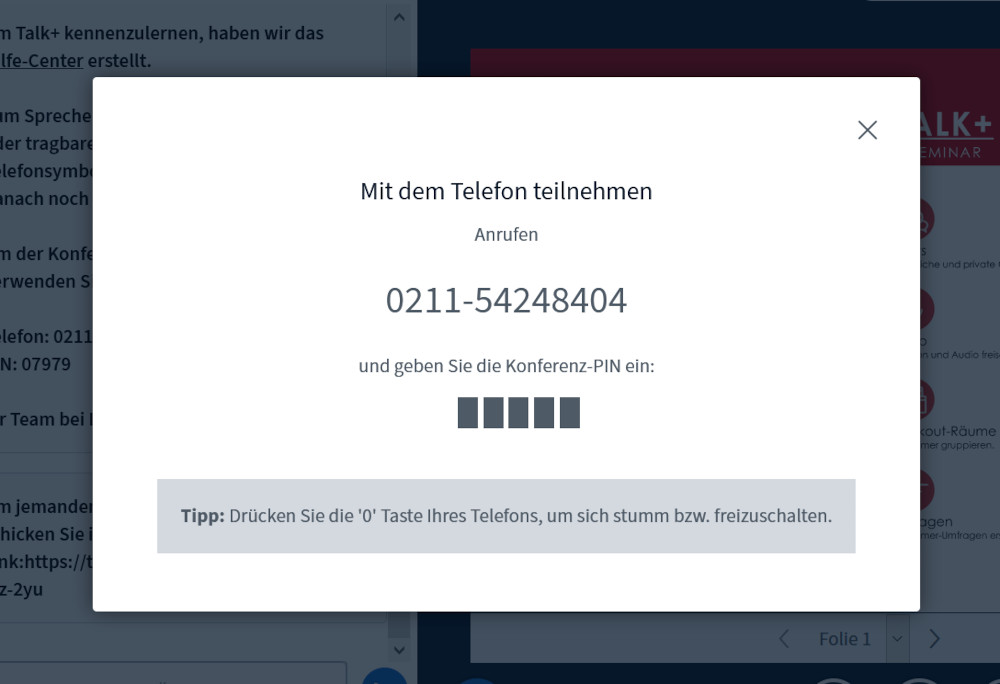
Step 2: Call and enter your PIN
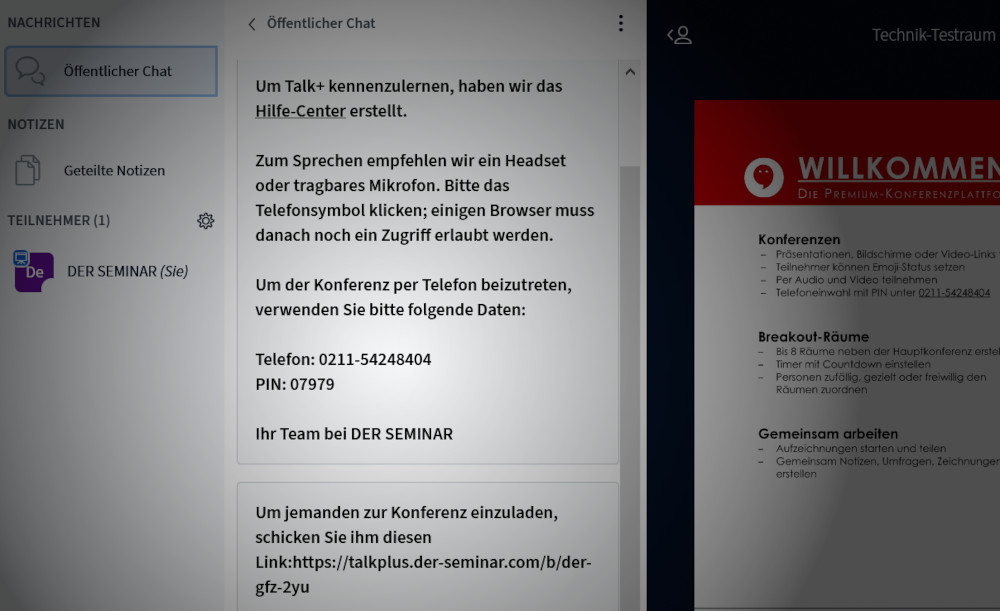
Option for Steps 1 and 2: The phone dial-in option is offered in the public chat.
What should I keep in mind during the conference call?
Just speak into your phone as usual. To mute yourself, press the number “0” on your keypad. To unmute yourself, press the number “0” again.
